Device Links
CapCut started as an app with a primary focus on editing TikTok videos. It quickly became very popular. It’s a user-friendly editing app with numerous options for cutting and adding different effects to videos.

Text is undoubtedly one of the most effective and widely used additions for short videos. If you’re looking for ways to give your recordings a fresh feel and make certain sections stand out, adding text might be what you need.
Luckily, CapCut was made with text options in mind, making it very simple to insert titles or comments. Here’s how you can add text to a video using CapCut.
How to Add Text to a Video in CapCut on the iPhone
The user interface of the CapCut app makes everything about video editing much easier, regardless of the operating system. Follow this simple method to add text to your video using an iPhone:
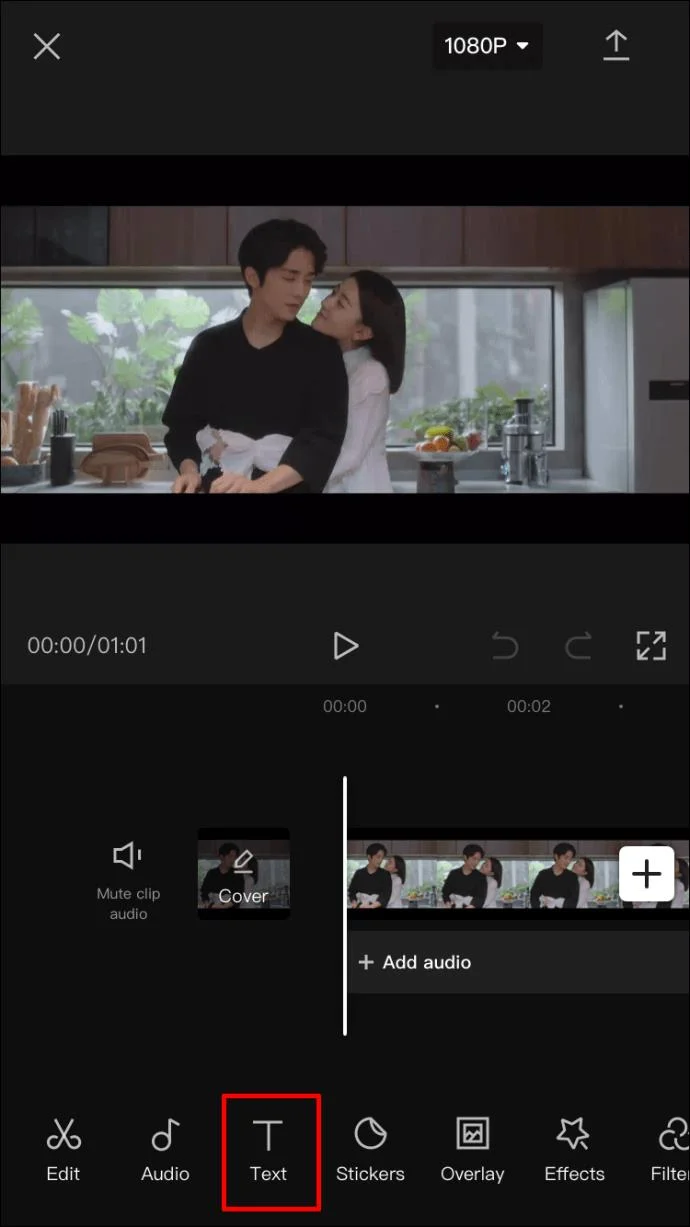
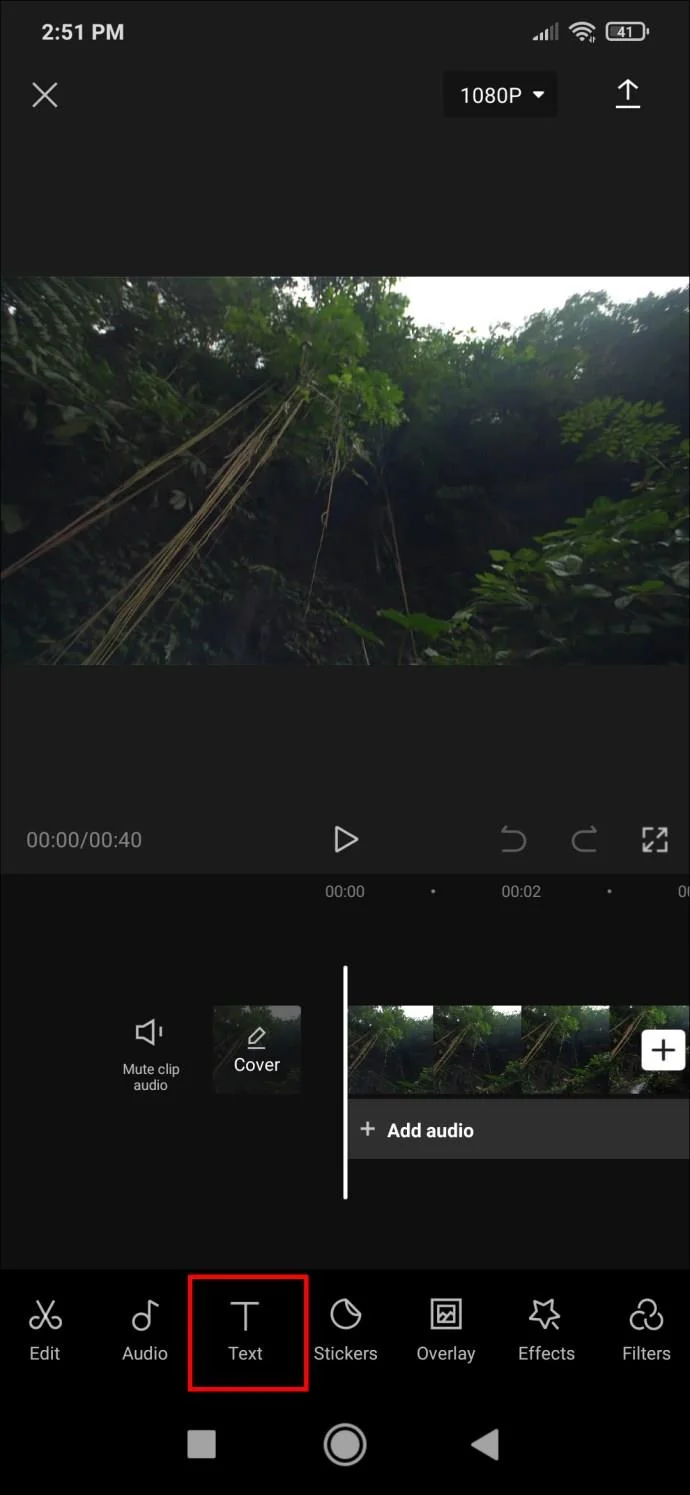
- When you open a video with the CapCut app, you’ll see the video preview, the timeline, and the menu bar at the bottom. Tap on “Text” to open settings.

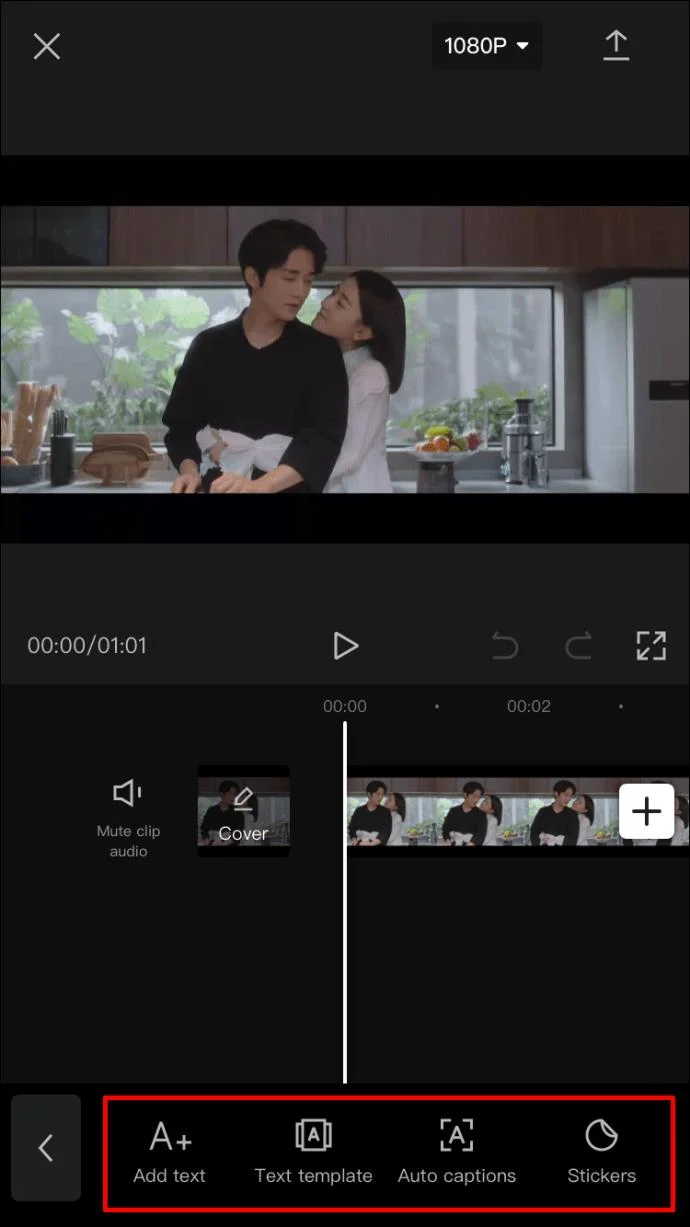
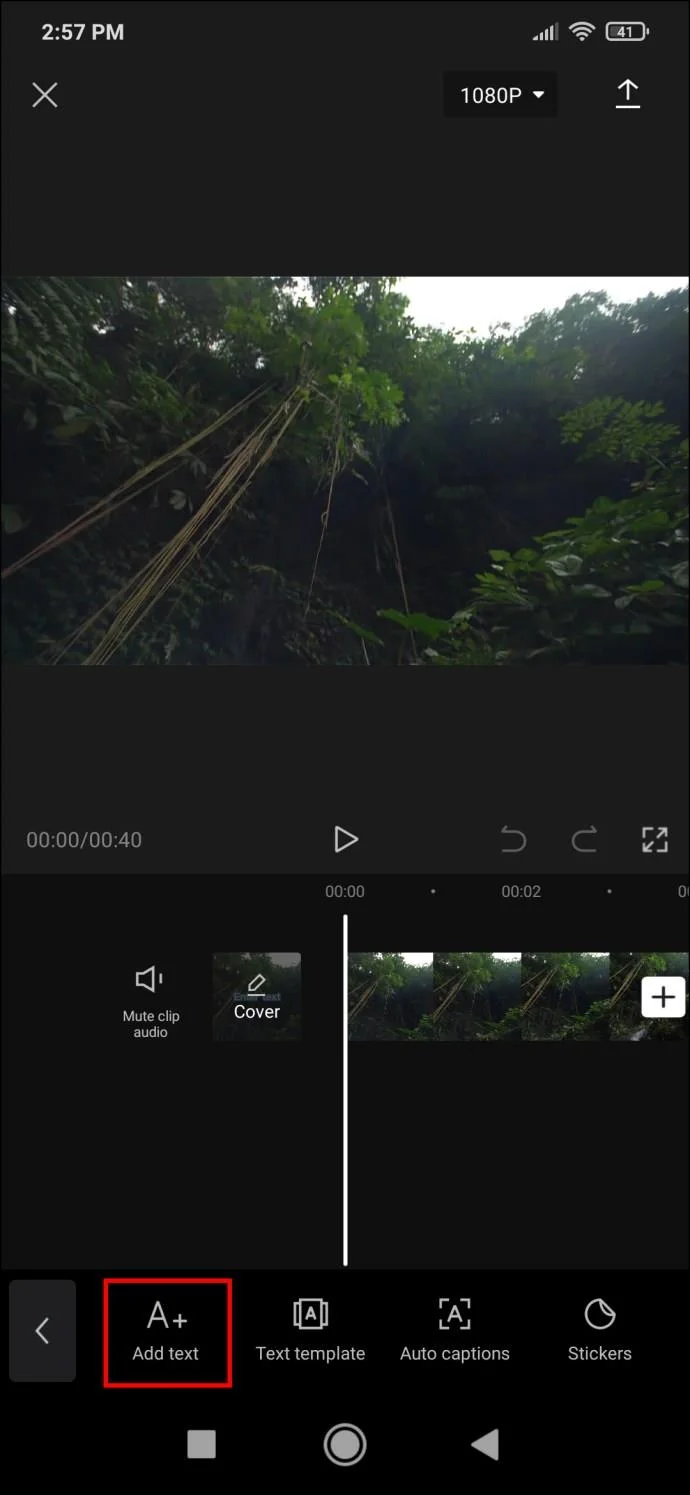
- The available options are “Add text,” “Text templates,” “Auto captions,” and “Stickers.” If you want to customize your text to the greatest extent, choose “Add text.” However, if you’d like a quick solution with fewer customization options, you can go to “Text templates” and use one of the many preset animated texts. This method will focus on the “Add text” option.

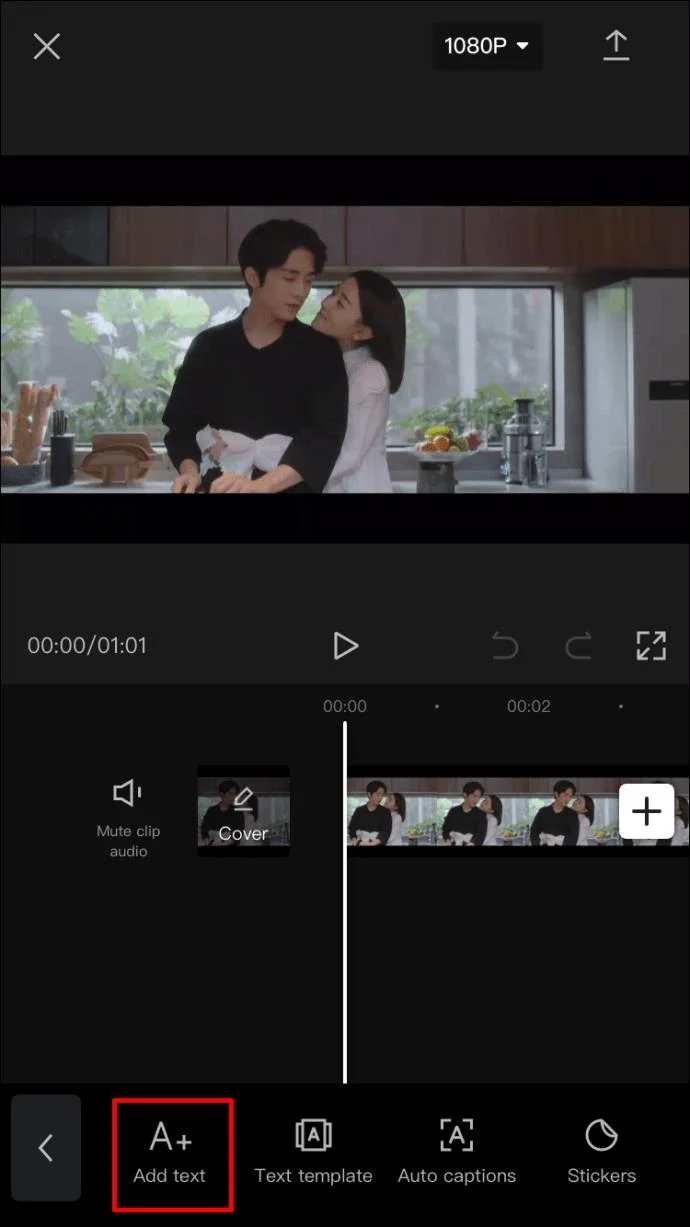
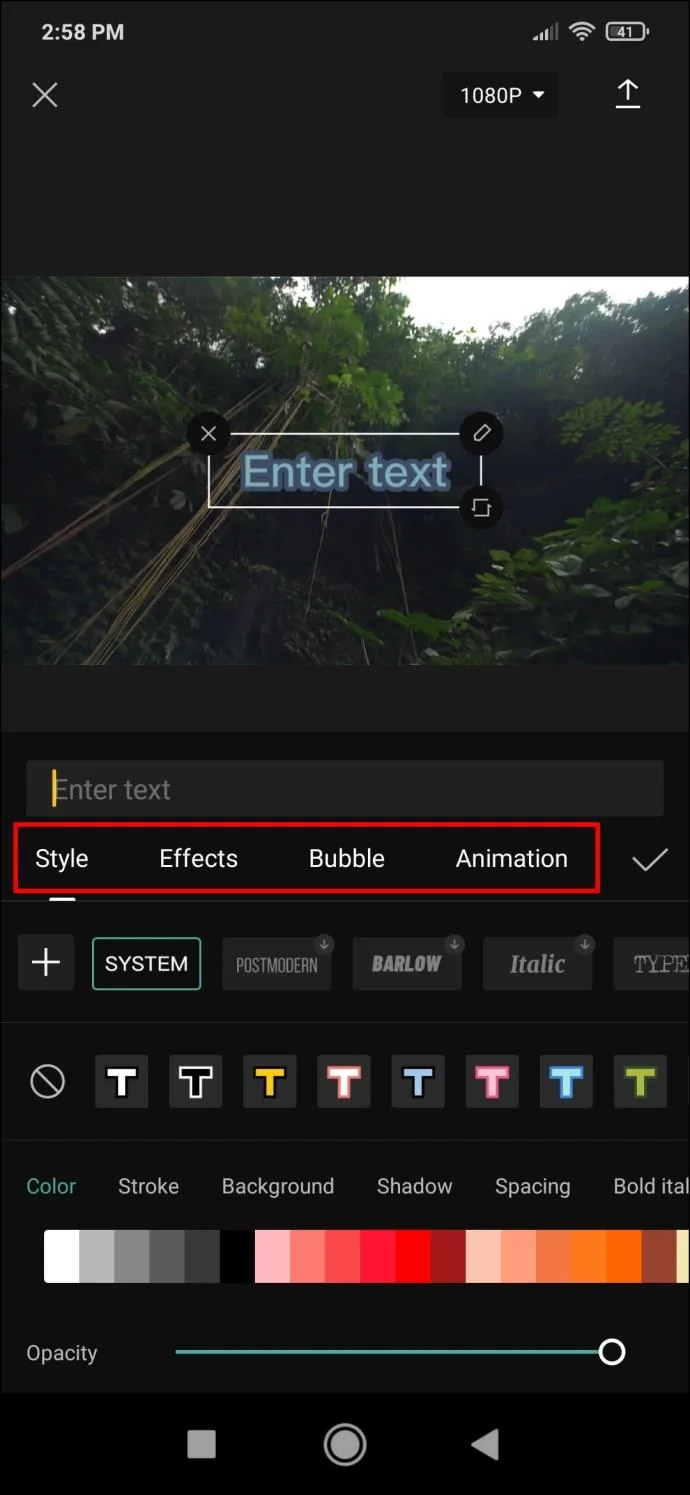
- Tapping the “Add text” button will bring up a menu with several tabs where you can edit different aspects of your text. The tabs in the text menu are:

- Keyboard
- Style
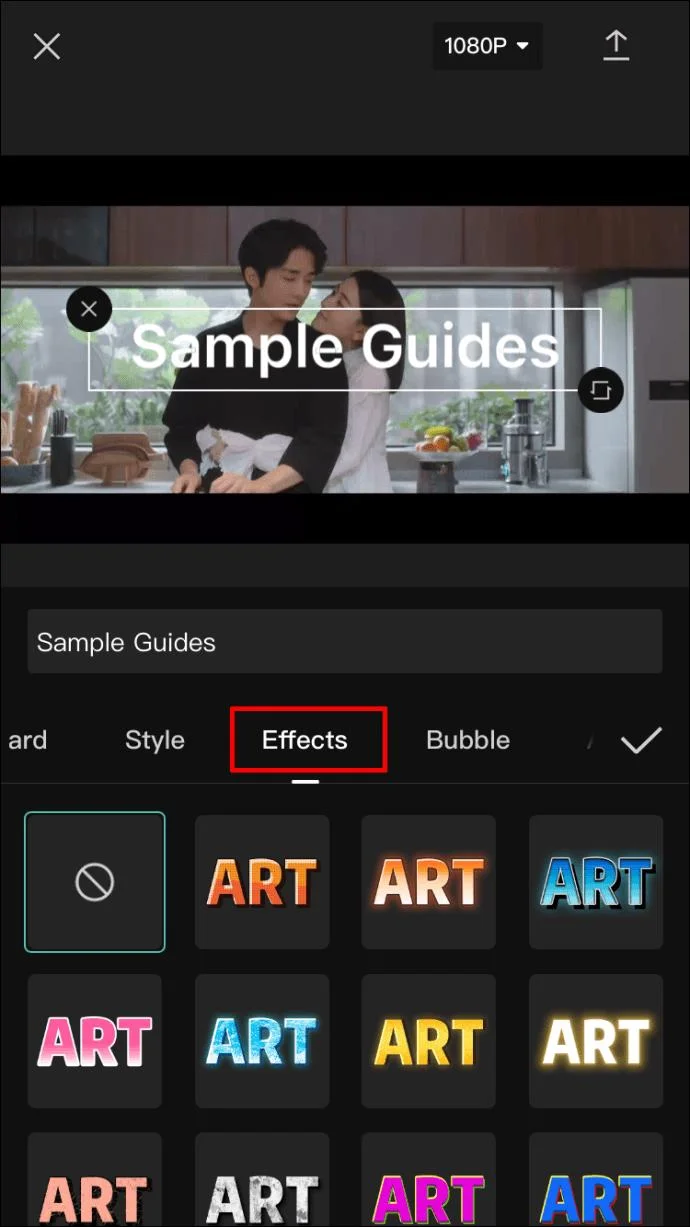
- Effects
- Bubble
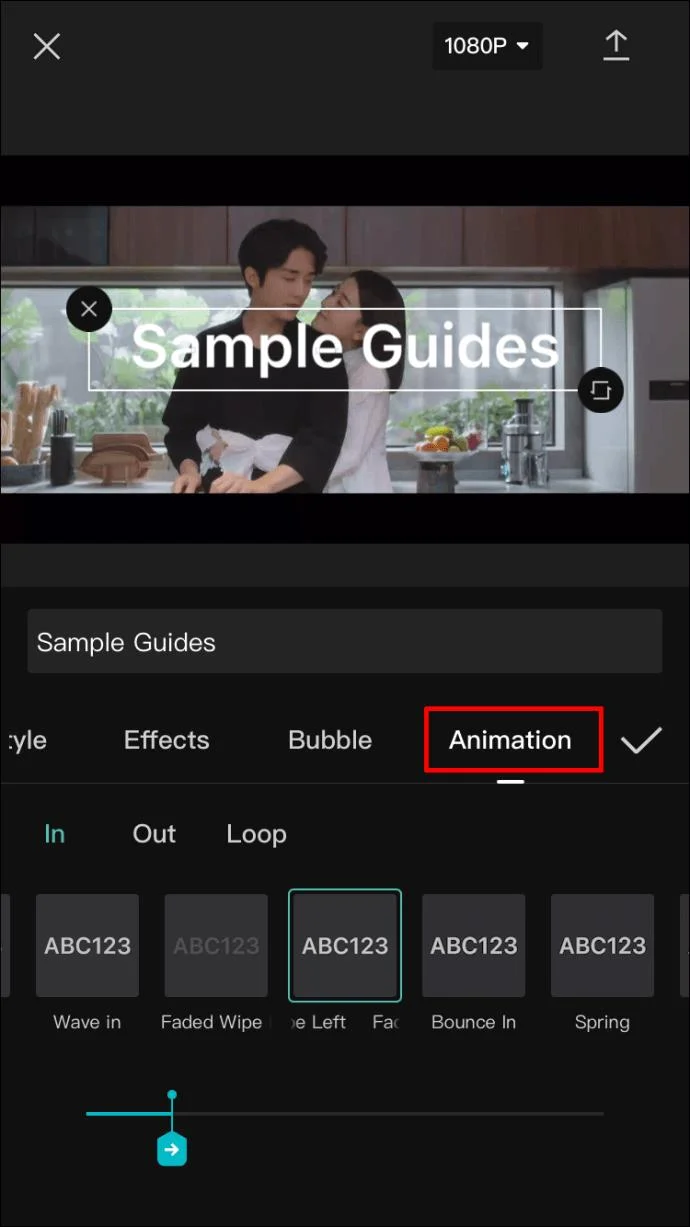
- Animation
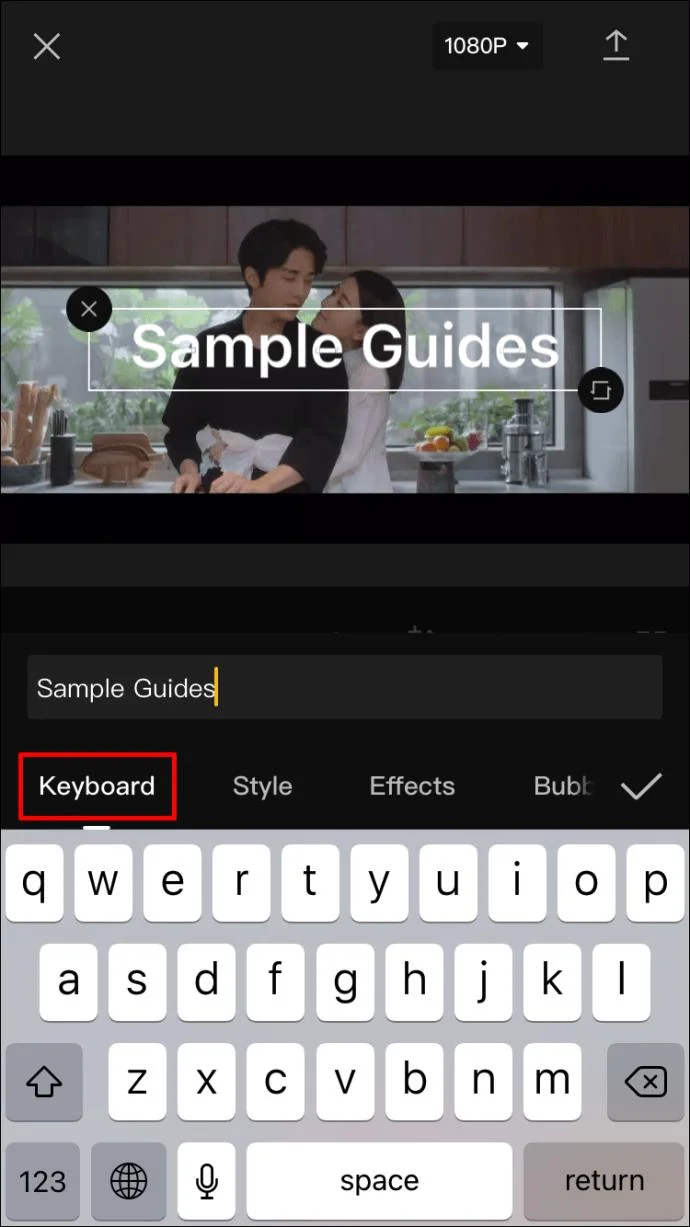
- After the menu comes up, it will be set to the “Keyboard” tab by default. Here, you can enter your text.

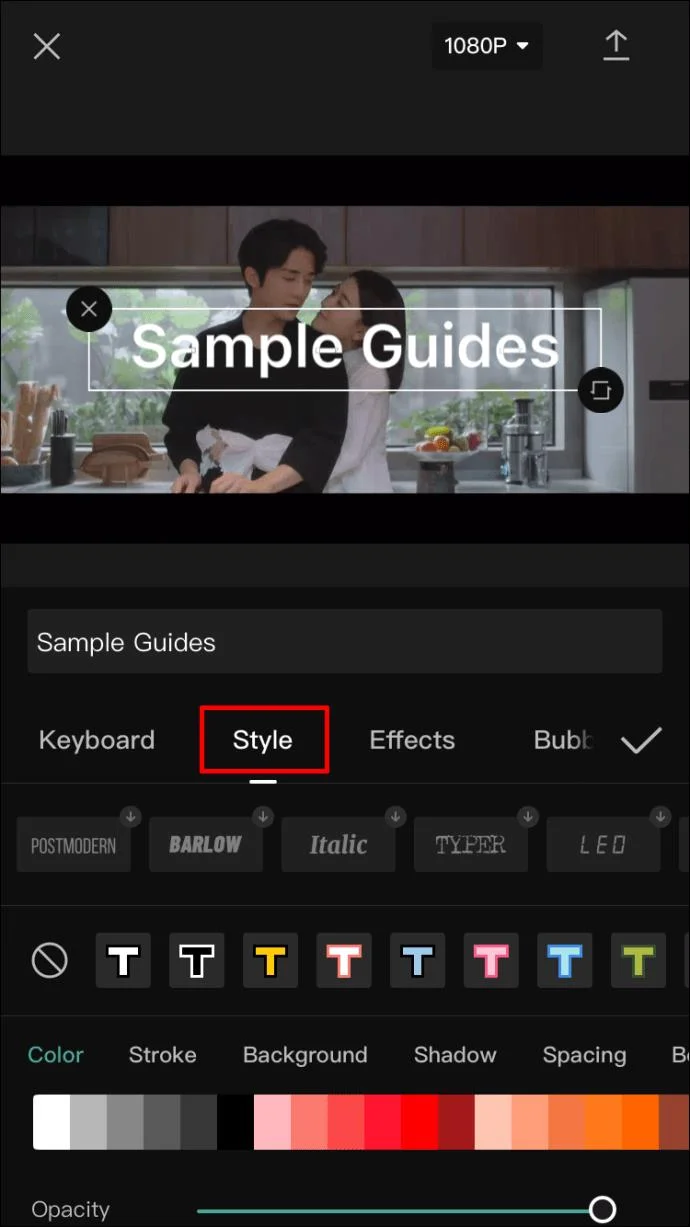
- Once you’re finished, move on to the next tab and the text will appear imposed on the video. The first time you see your text, it will appear in a plain style. To customize it further, go to the “Style” tab. There are three settings in this tab, and all are located on their individual ribbons:

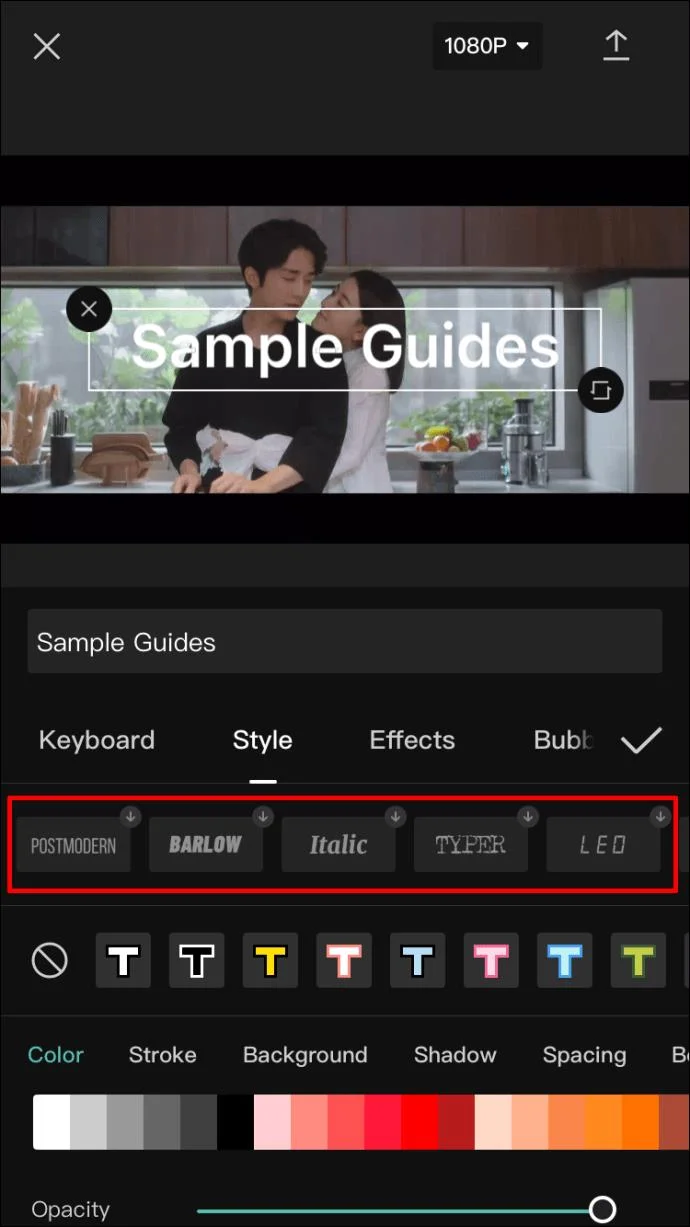
- The first ribbon contains fonts that you can choose by tapping on one of the buttons displaying a font preview.

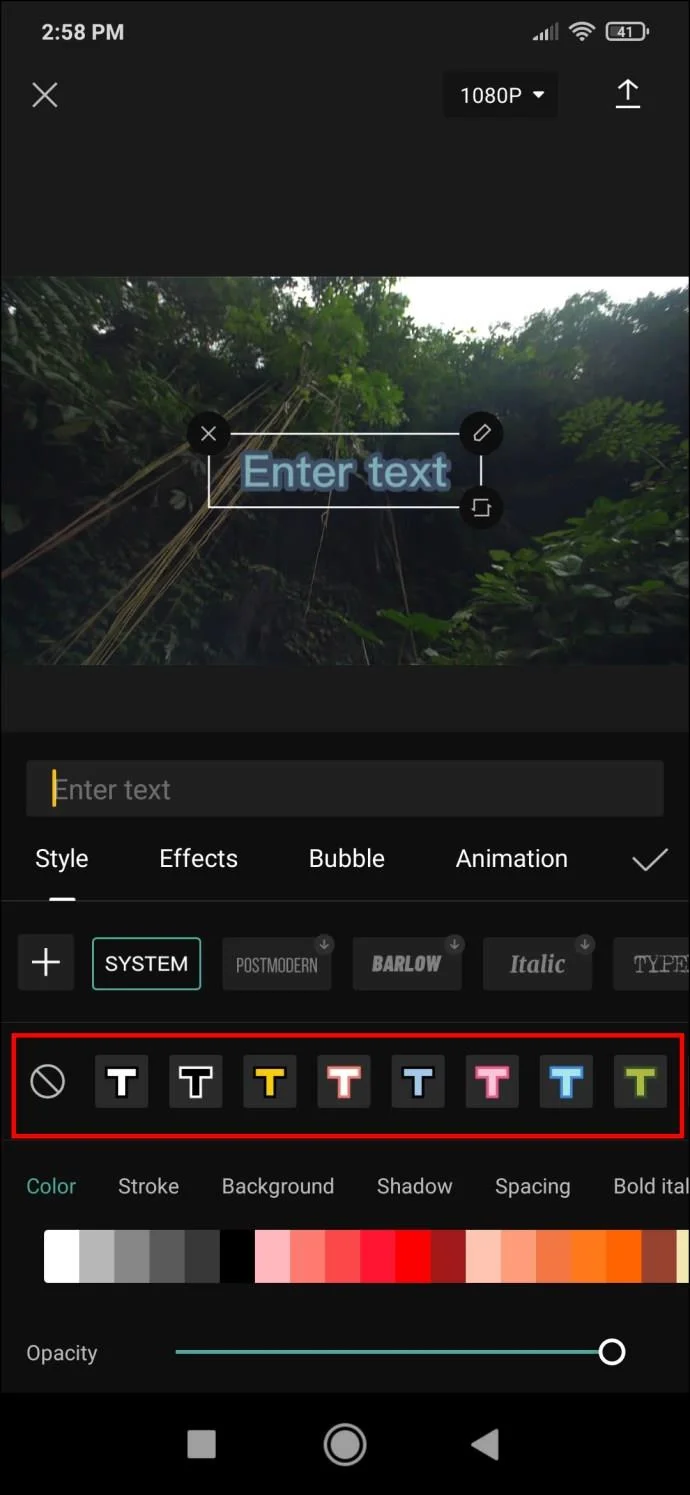
- The next ribbon has options for text borders, highlights, and backgrounds.

- The third ribbon is the most complex as it includes detailed options related to text colors and effects. We’ll explain these options in the following step.
The third ribbon mentioned contains the most customization options that can make your text unique. These are:
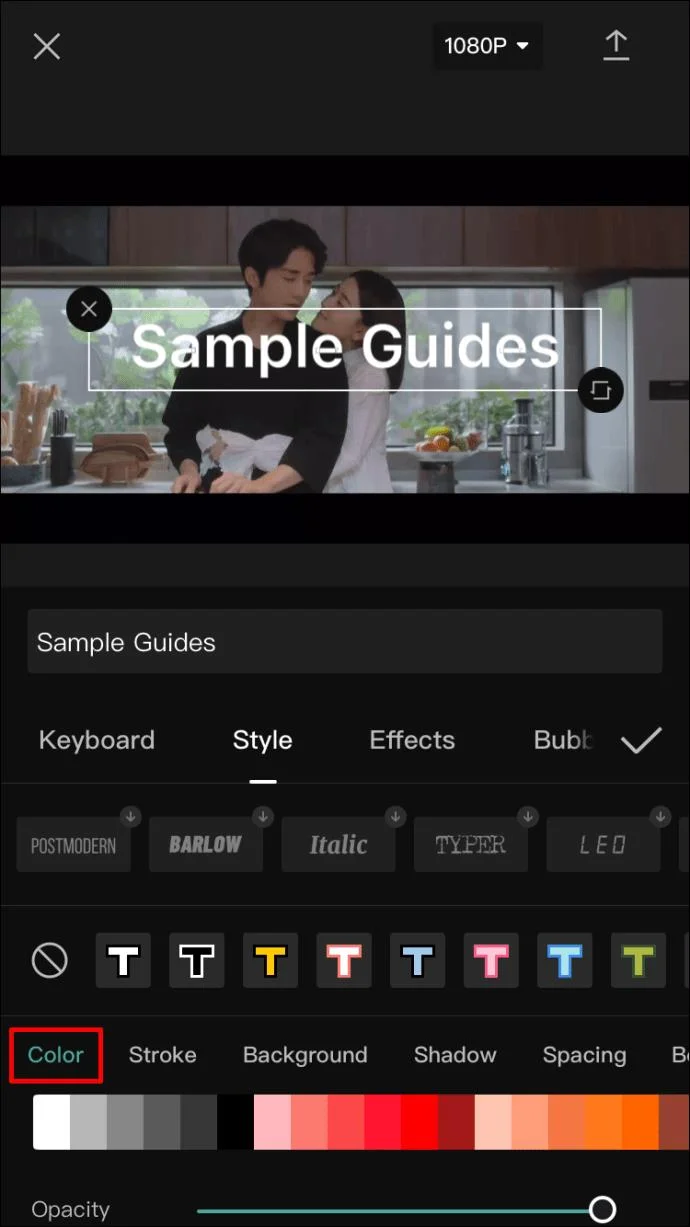
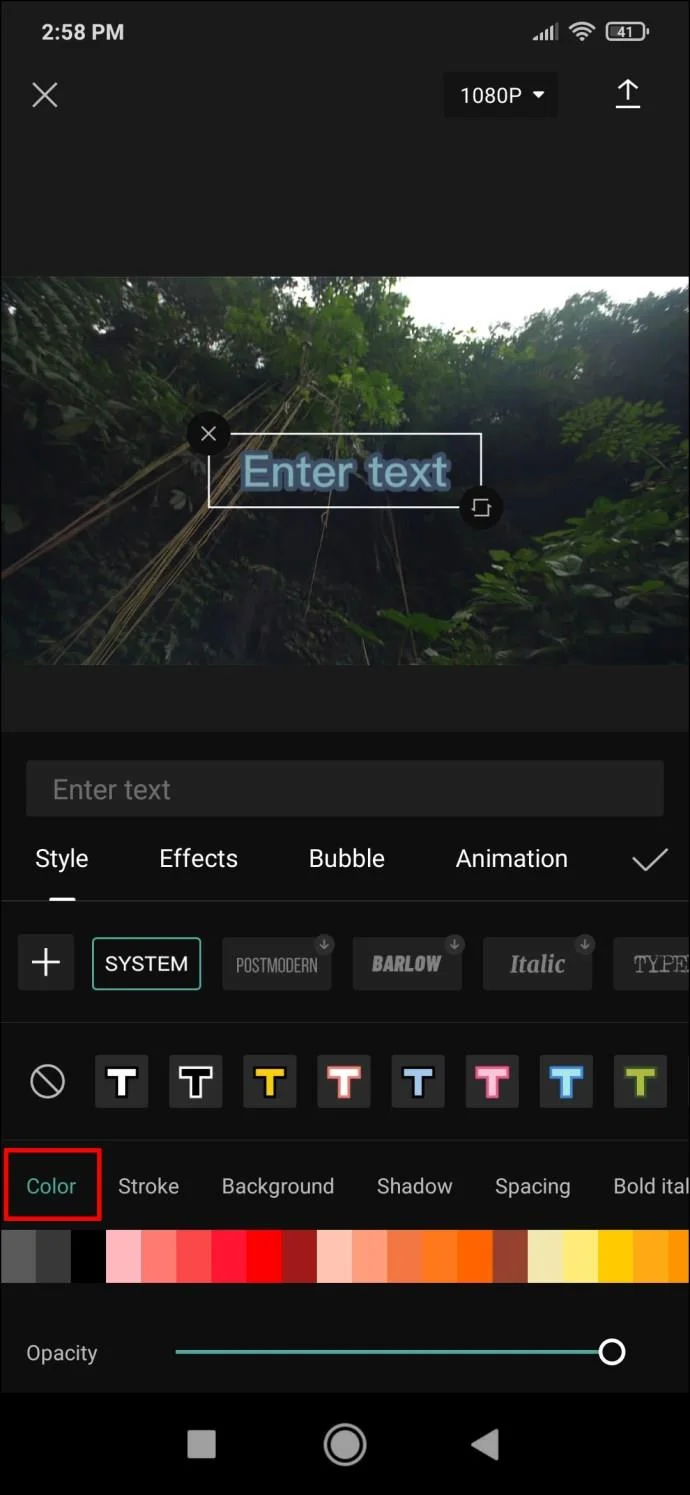
- Color – a straightforward setting that adjusts the color of the letters. When color is selected, an opacity slider will appear beneath the color palette, allowing you to make the text more or less translucent.

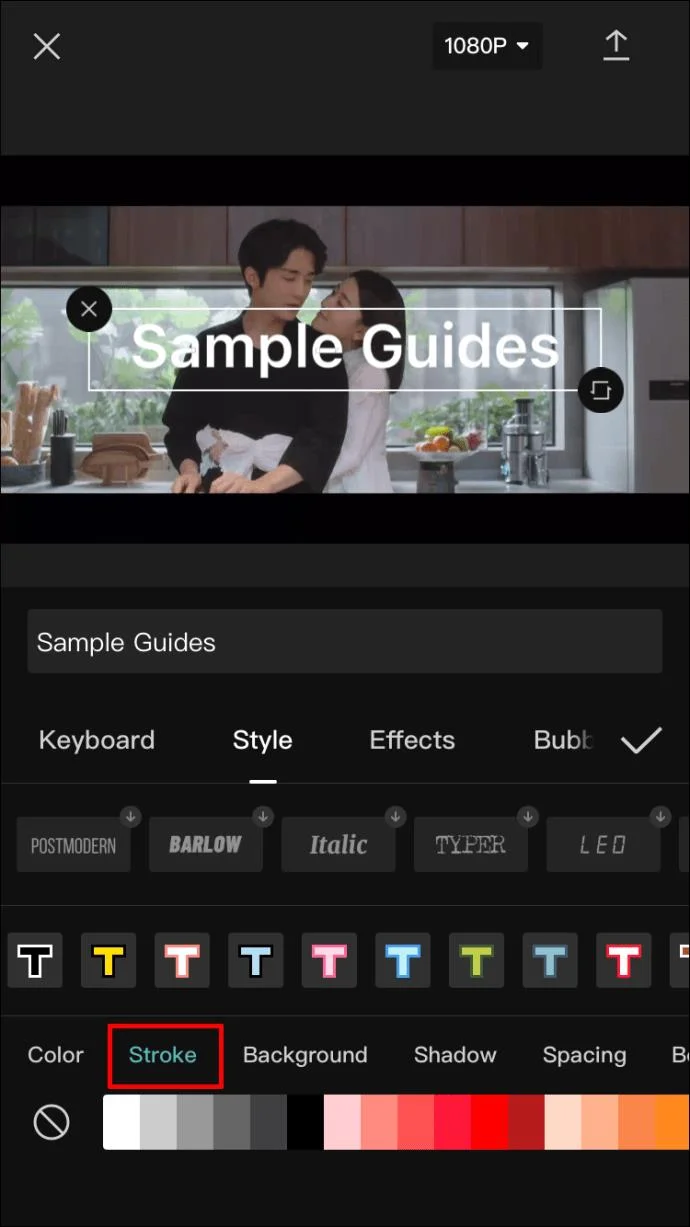
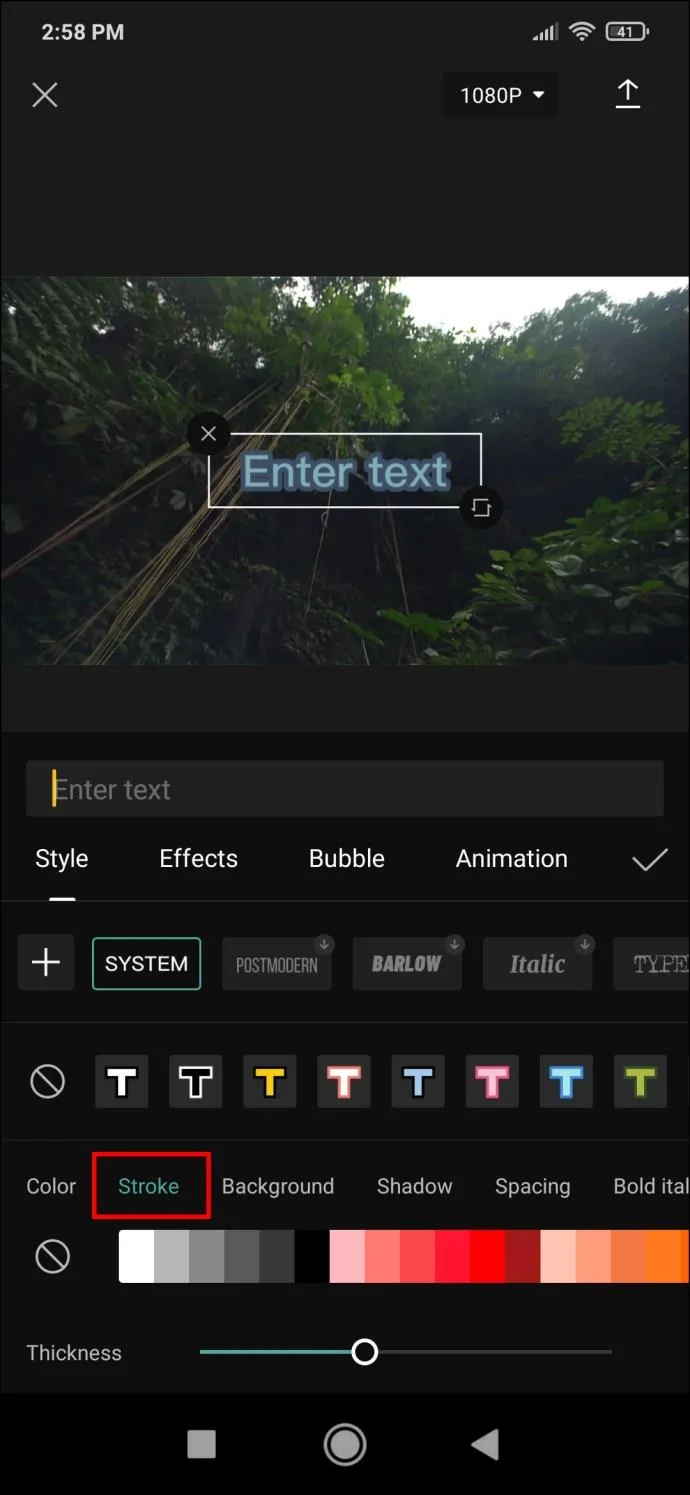
- Stroke – controls the stroke color.

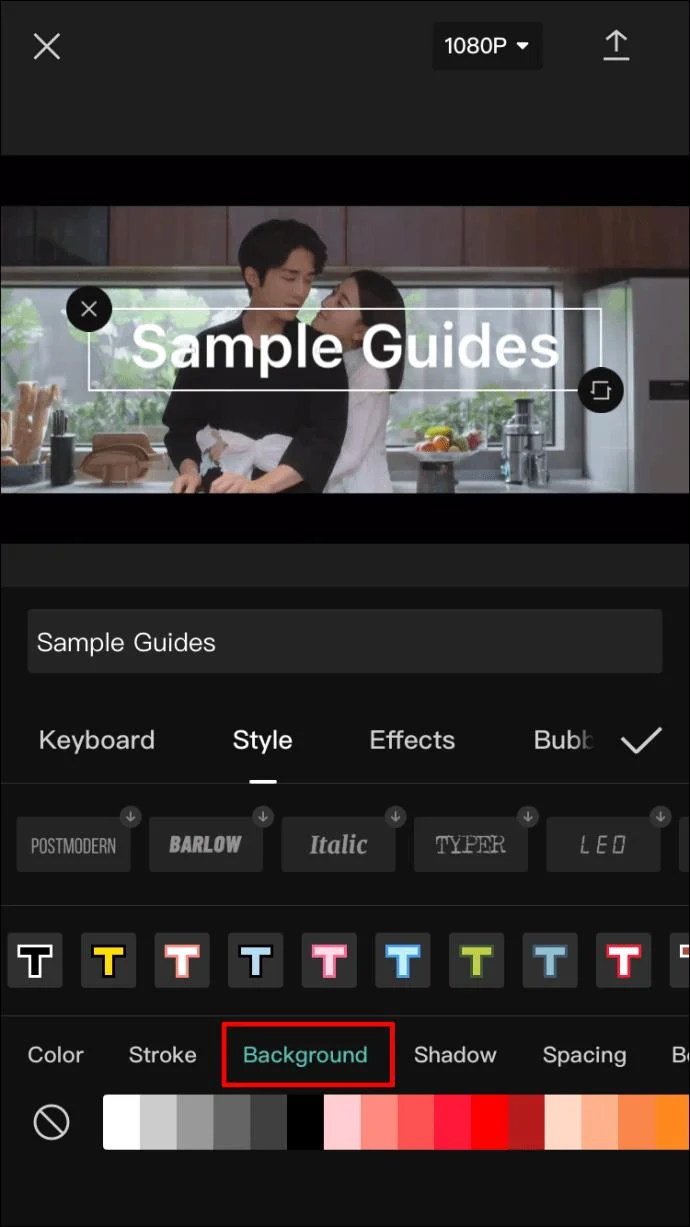
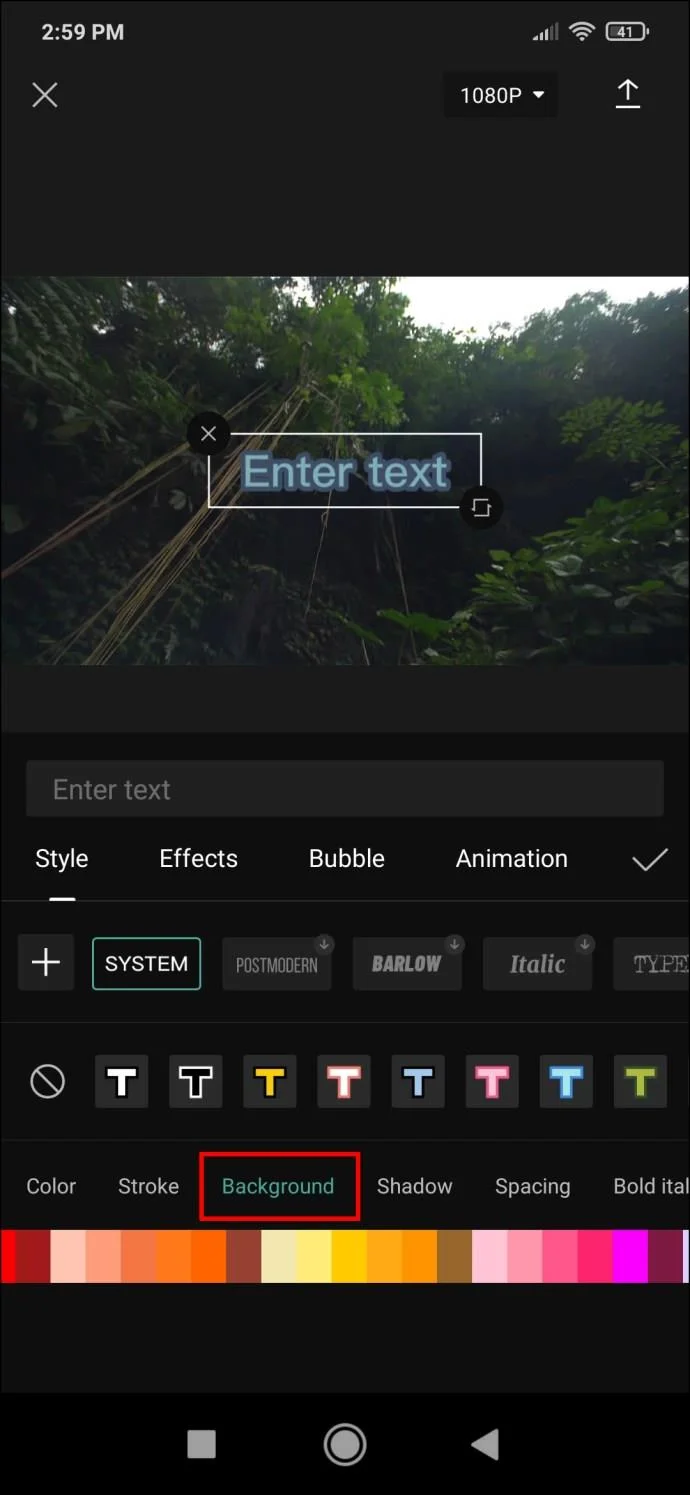
- Background – this option changes the background color. Like the “Color” menu, tapping here will bring up the opacity slider.

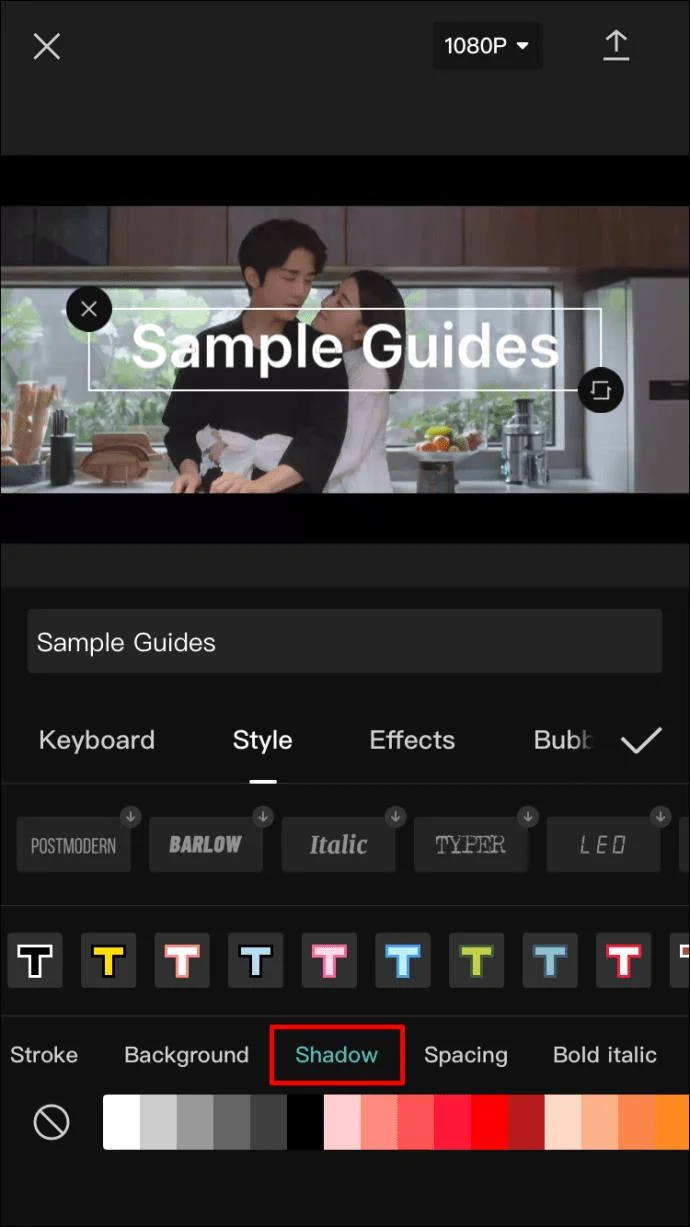
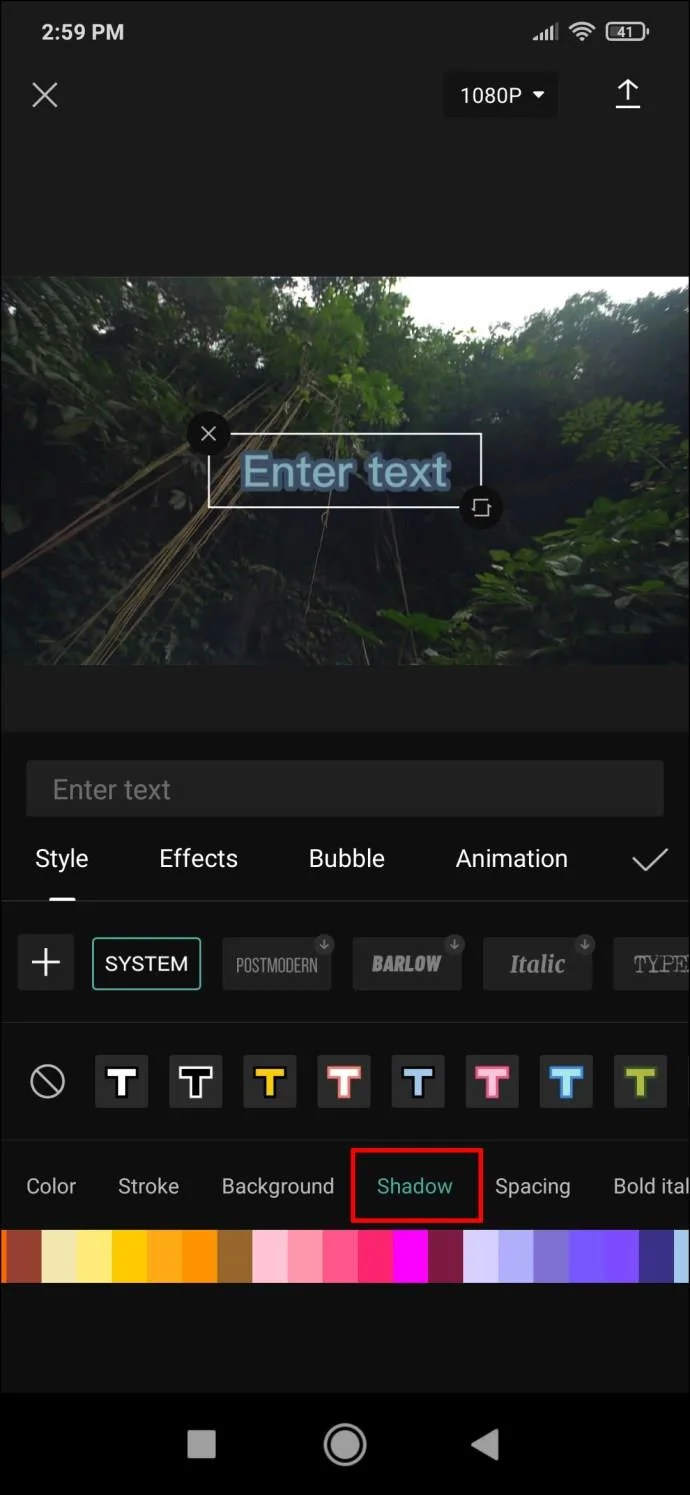
- Shadow – creates a colored shadow behind the letters. Once you choose the shadow color, you’ll see two additional sliders appear. One is, again, for opacity, while the other slider controls shadow blur.

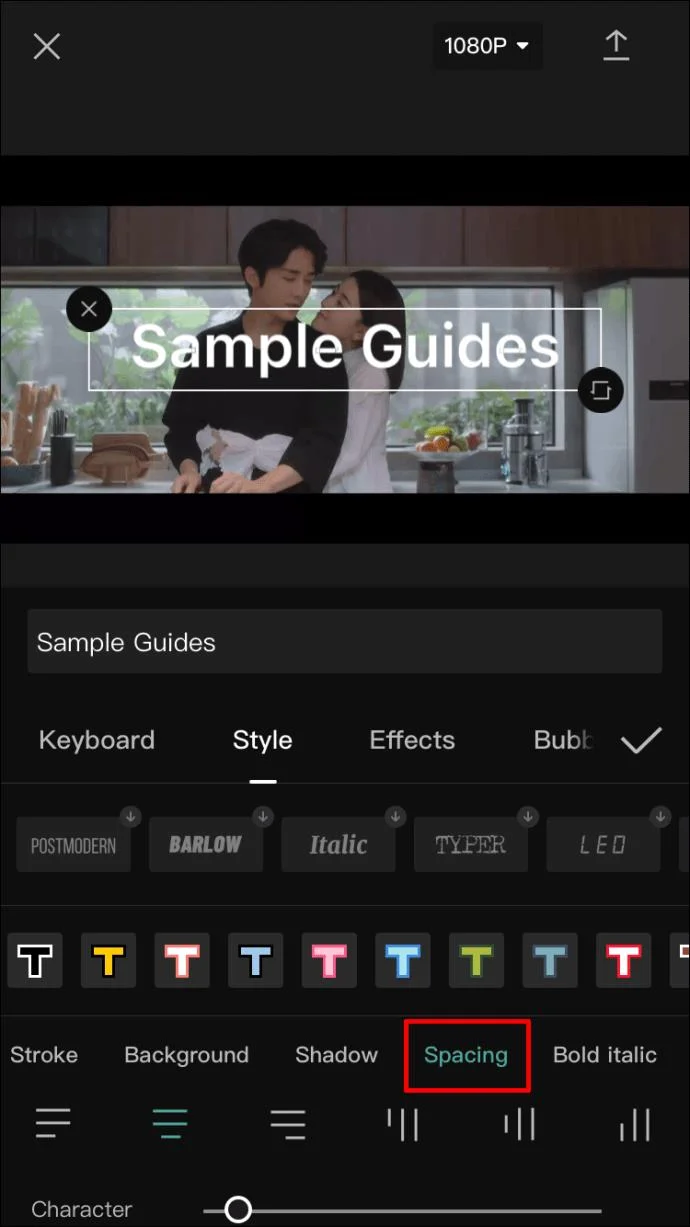
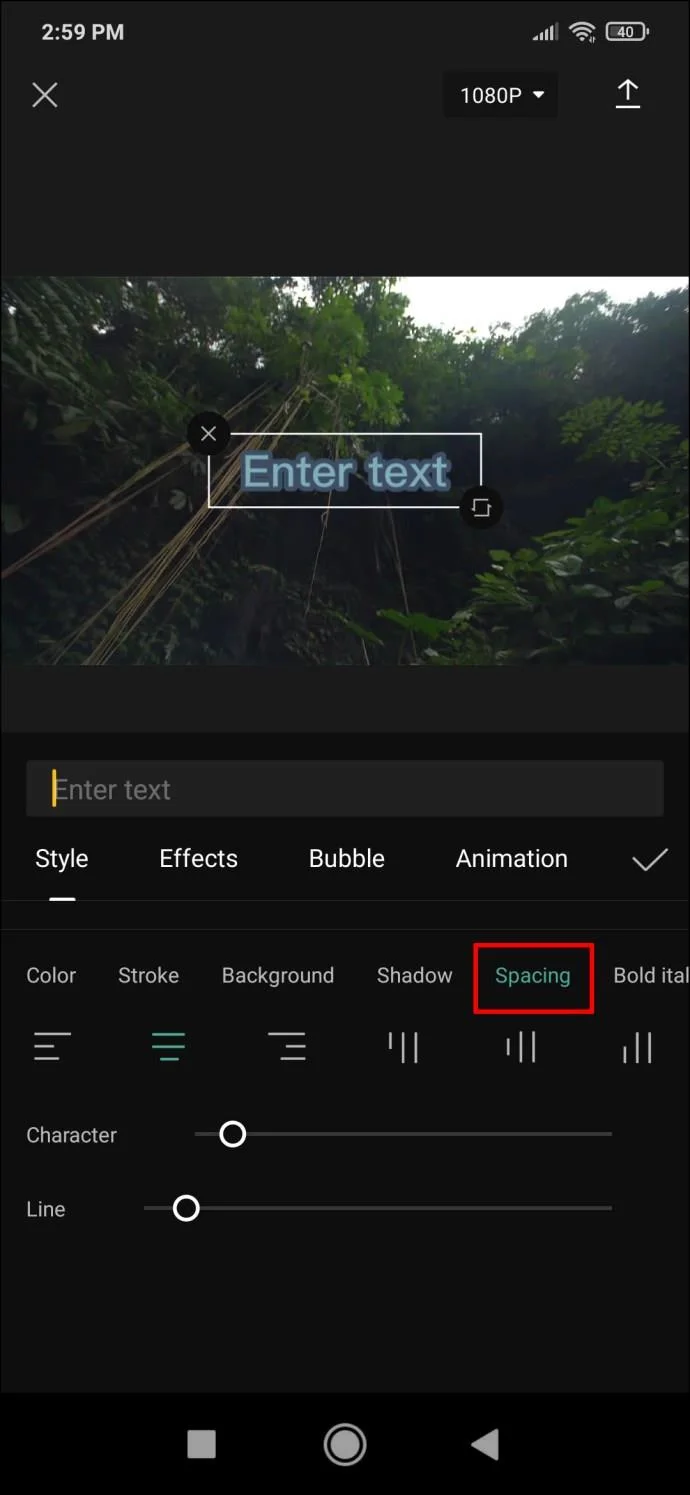
- Spacing – despite its name, this menu actually doesn’t have anything to do with color. Instead, you’ll find various text alignment options here. The interesting bit is that you can set the alignment both on a left-to-right and top-to-bottom axis. Underneath, you’ll see two sliders, both of which affect text spacing.

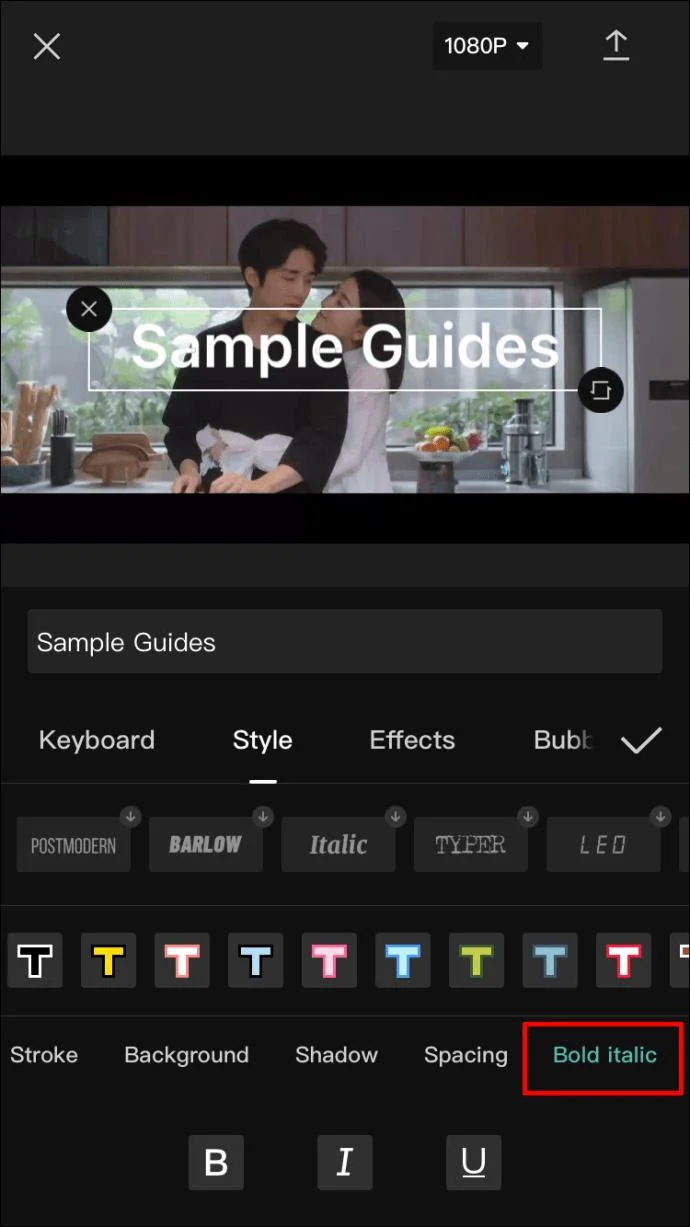
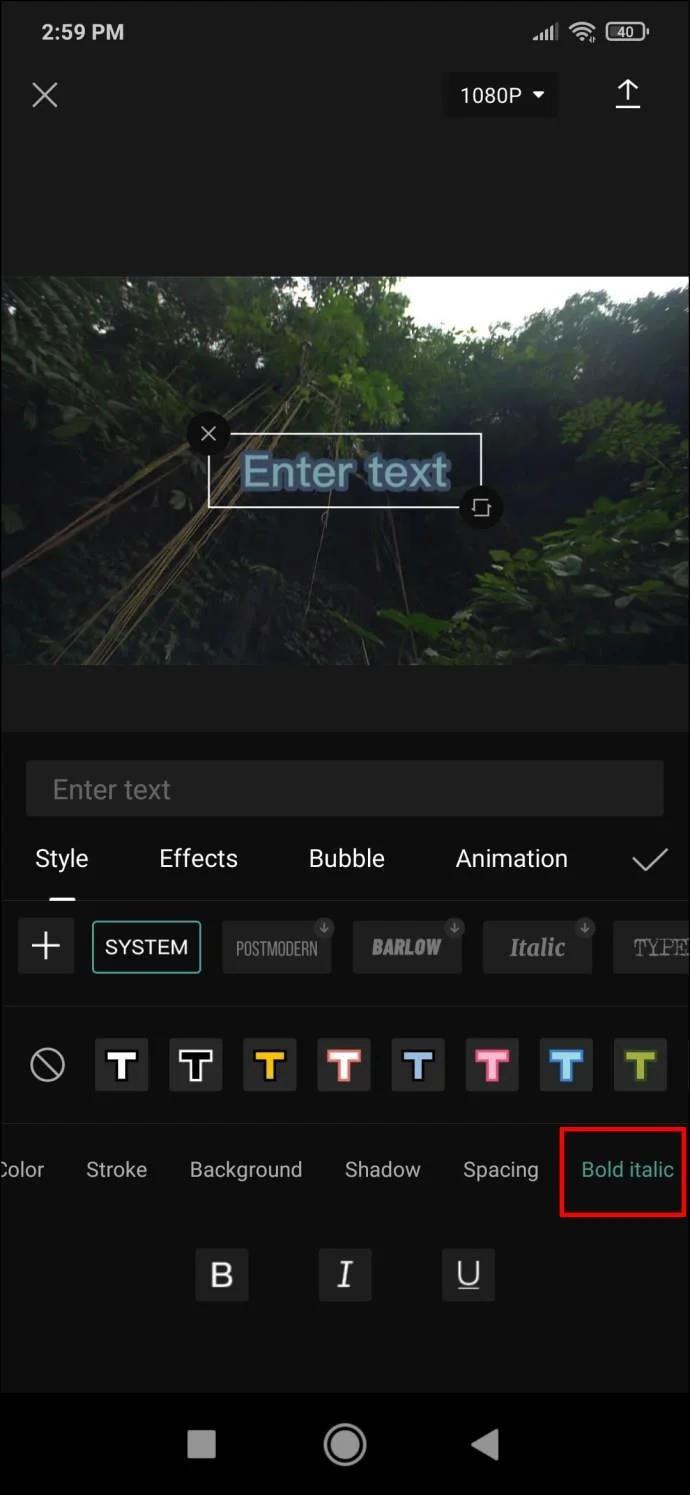
- Bold Italic – the final menu in this ribbon allows you to change your text to bold, italic or underlined.

- When you’ve finished customizing the text style, you can move on to the “Effects” tab and try out some of the offered solutions. The following “Bubble” tab has optional text bubbles you can add.

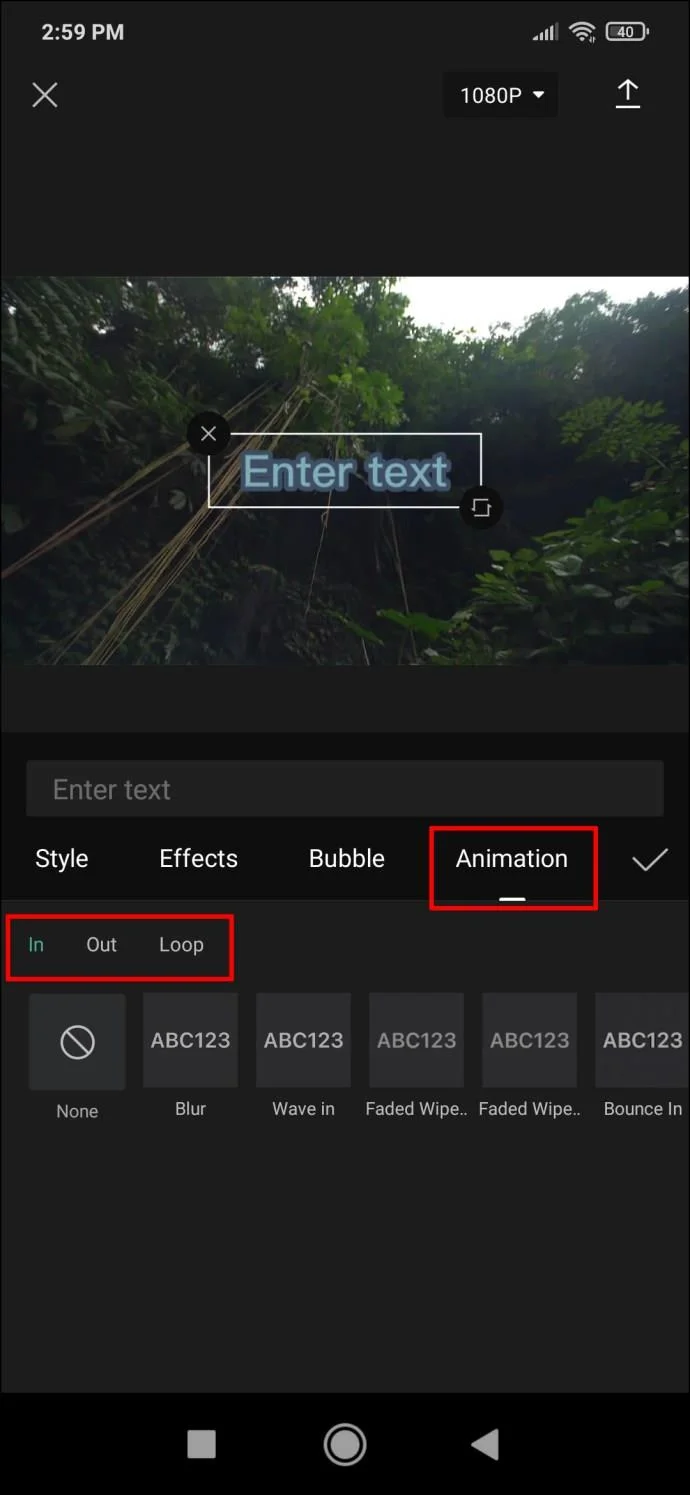
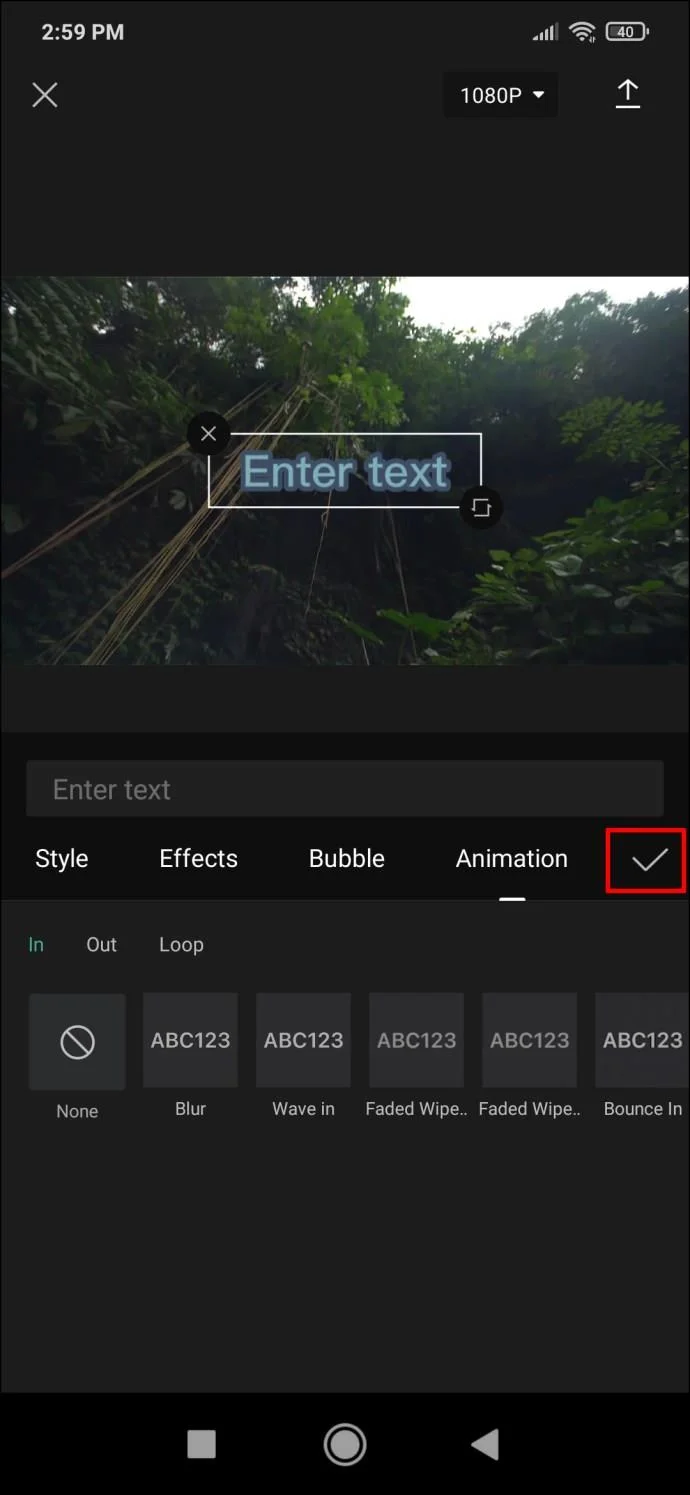
- Finally, the “Animation” section has numerous text animations. You can choose a separate animation for when the text enters and exits the frame, as well as a looping animation that will continue for as long as the text is on the screen.

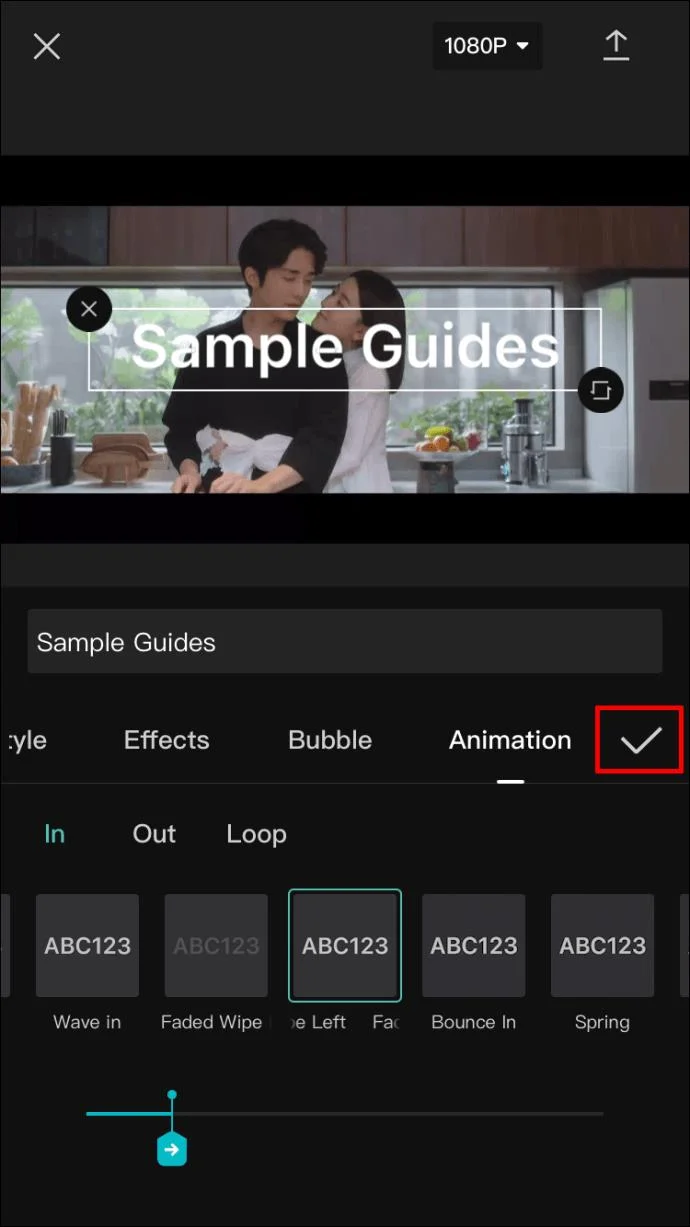
- Once you’re done with setting up your text, tap the checkmark on the right side, and the text will be added to your video.

How to Add Text to a Video in CapCut on an Android Device
Since the CapCut app functions the same on all devices, the method for adding text to your video on an Android device will be the same as for an iPhone. Here’s what you’ll need to do:
- Open your video in the CapCut app. On the menu bar beneath the video timeline, tap on “Text.”

- You’ll see the “Add text,” “Text templates,” “Auto captions,” and “Stickers” options. The “Text templates” will give you quick solutions for text design, but “Add text” will allow for the greatest level of customization, so we’ll focus on that option here.

- Tap on “Add text” and a menu with several tabs will appear. These tabs are:
- Keyboard
- Style
- Effects
- Bubble
- Animation

- Use the “Keyboard” tab to enter the text. Then, proceed to the next tab for more customization.
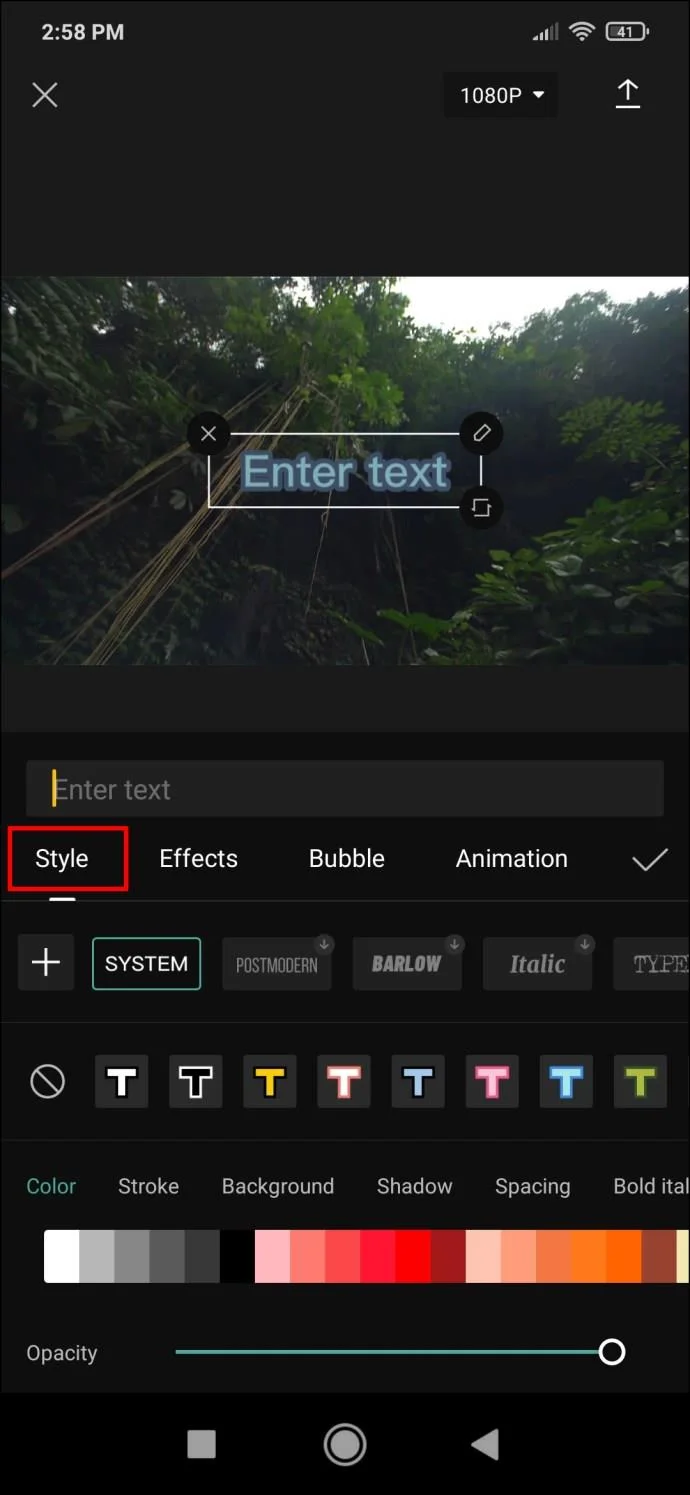
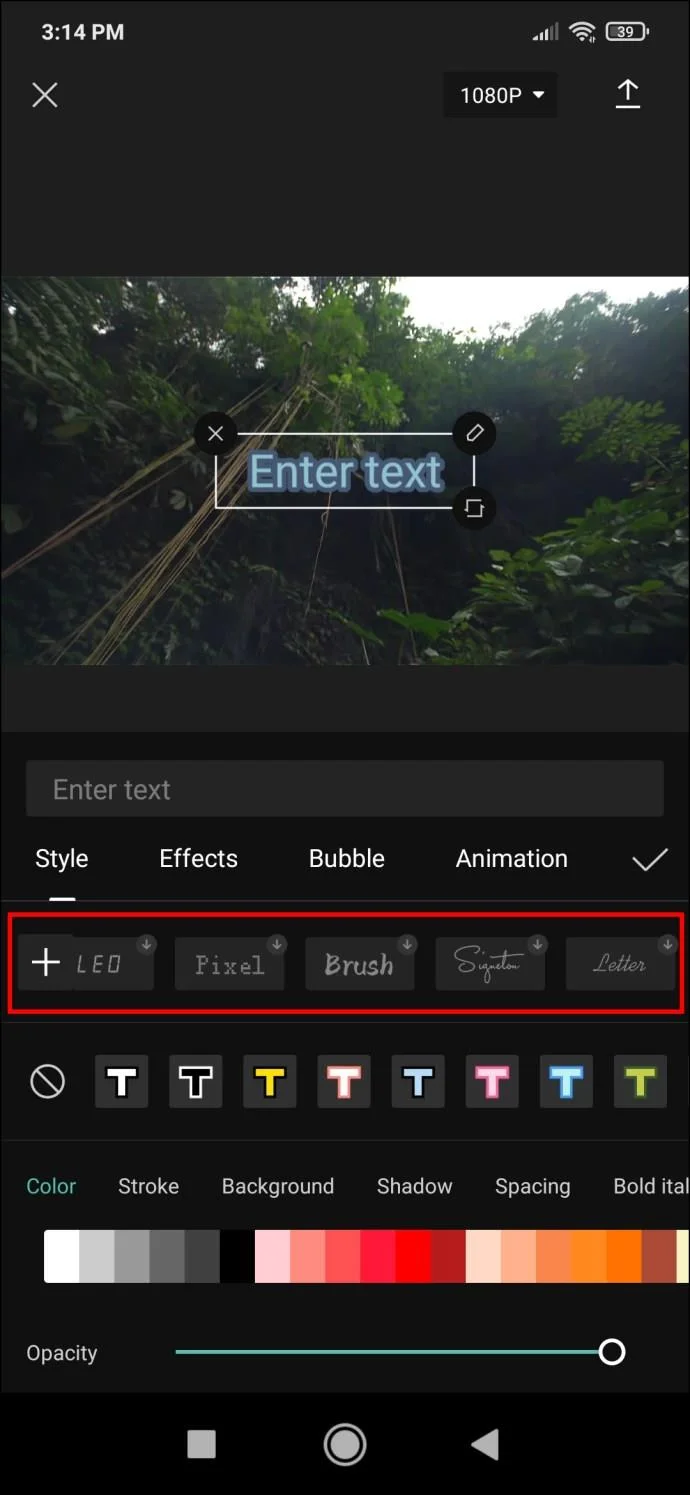
- Open the “Style” tab. It has three settings, all located on their individual ribbons:

- First are fonts. Tap on the button previewing a font to choose it.

- The next ribbon contains options related to text borders, highlights, and backgrounds.

- The third ribbon is the most detailed and will require further explanation.

- Go to the customization options on the third ribbon to add effects to your text. Your options will be:
- Color – adjusts the letter color. Selected it, and you’ll see an opacity slider that you can use to increase or decrease text transparency.

- Stroke – controls the color of the stroke.

- Background – changes the background color and transparency via the opacity slider.

- Shadow – gives the letters a colored shadow. Additionally, two sliders control shadow opacity and blur.

- Spacing – rather than color, as the name would suggest, this menu controls text alignment. You can set the alignment both on a left-to-right and top-to-bottom axis. There are two sliders below which control text spacing.

- Bold Italic – makes the text bold, italic, or underlined.

- Among the remaining tabs – which provide more customization in the form of various effects and text bubbles – the “Animation” tab is the most important. Choose between different text animations. These can be set as in, out, and looping animations.

- When you’re finished browsing through the options, tap the checkmark to save the text and add it to your video.

How to Make 3D Text in CapCut
The options for creating 3D text in CapCut are currently somewhat limited. As an alternative, you can browse text effects and find one that gives off the impression of 3D. If you combine the right effect with a particular style of animation, you could achieve an illusion of three-dimensional text in your video.
Create the Best Captions for Your Videos
CapCut offers a vast number of solutions when it comes to inserting and customizing text. Now that you know how to add text to your videos in CapCut, you can let your imagination run wild and come up with some truly creative imagery.
Did you add text to your videos successfully using CapCut? What were your favorite effects? Let us know in the comments section below.